
WhatsApp Business Multiple Users: How to Let Your Whole Team Work From One Number
When businesses search for "WhatsApp Business multiple users," they usually need more than access for another employee. They need a shared workspace where several agents can reply, hand off, and follow up on the same number without duplicates and without losing context.
Product Proof
What This Looks Like In The Product
Real screenshots from the product. The examples here show a Hebrew workspace, and Marv also supports English and Arabic.
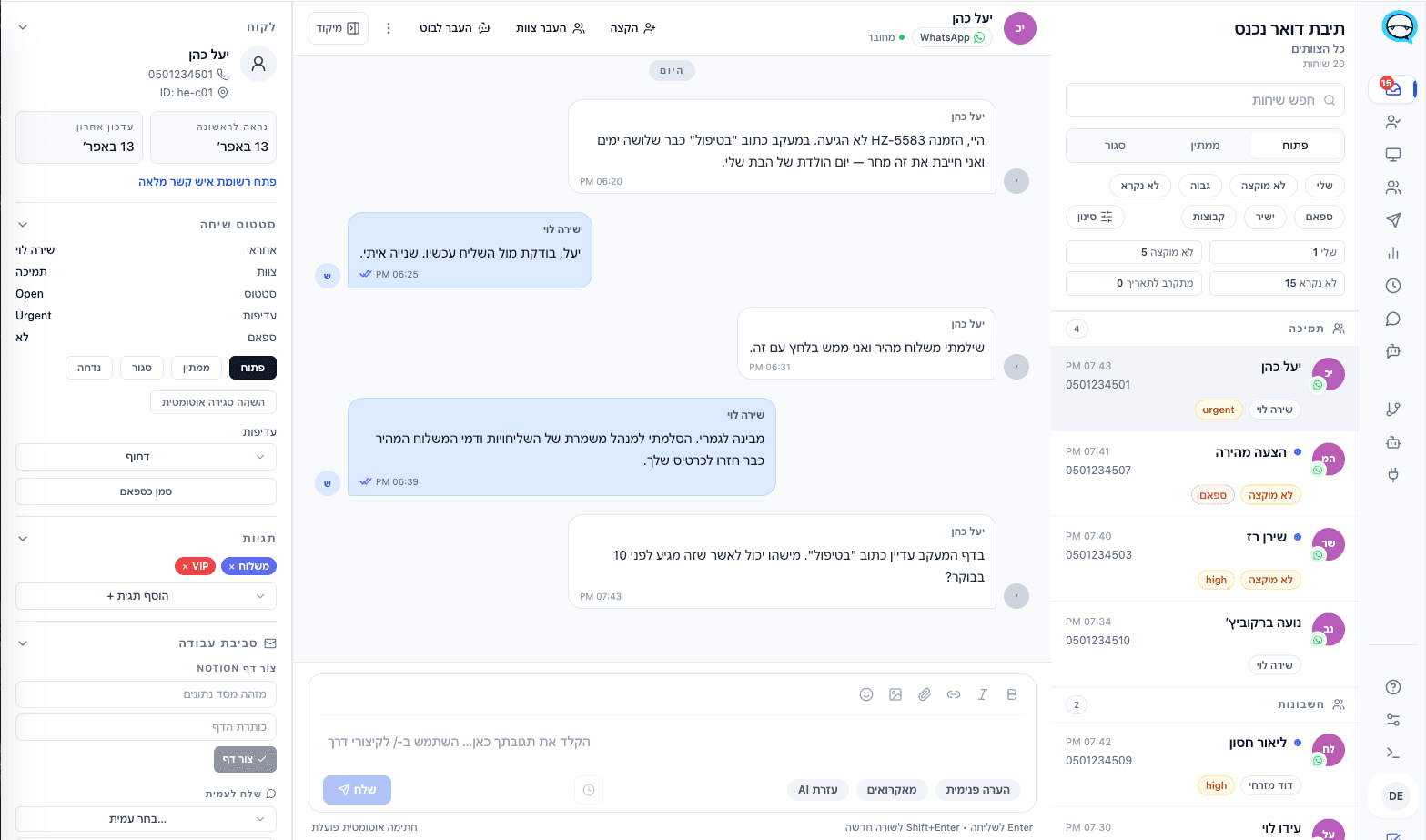
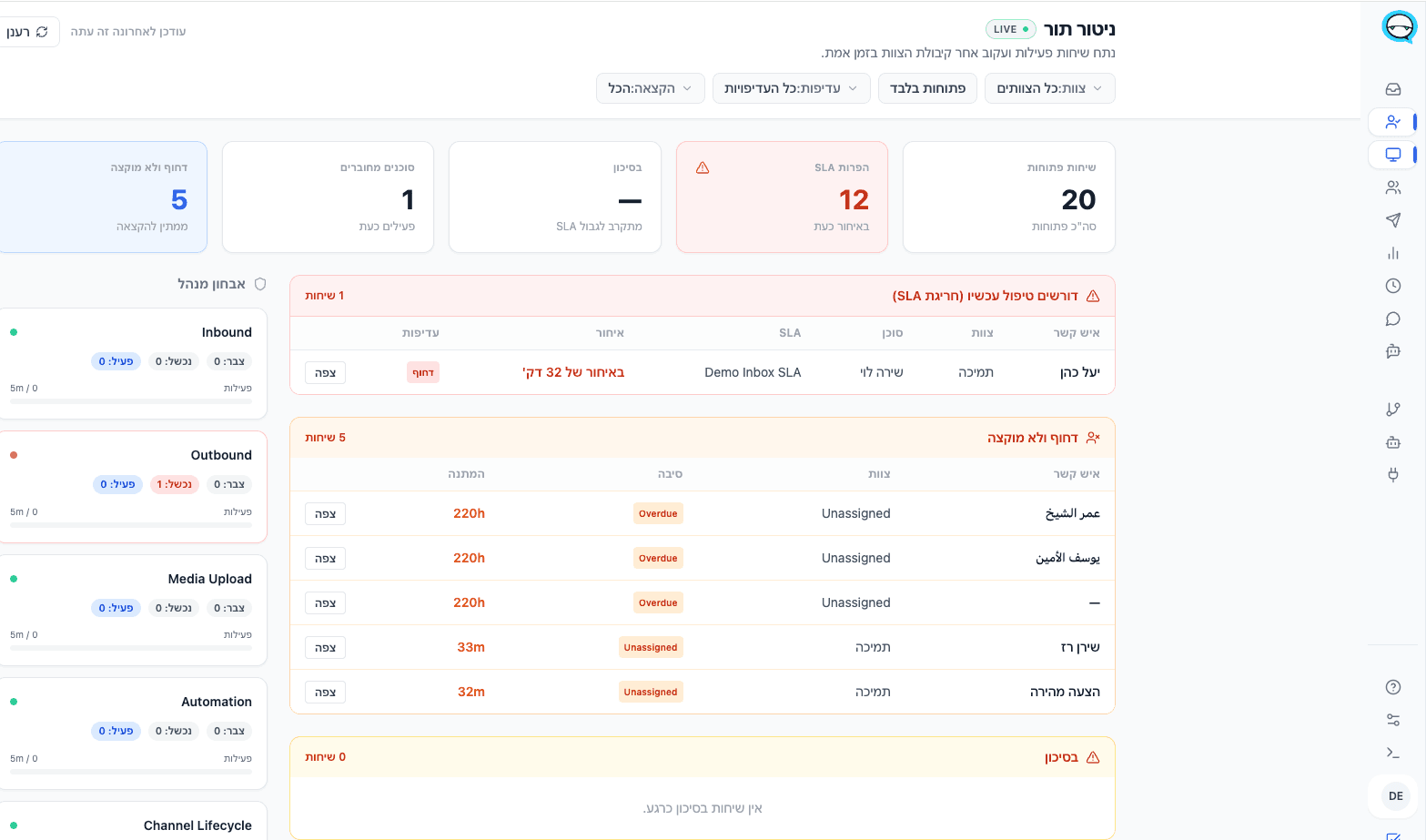
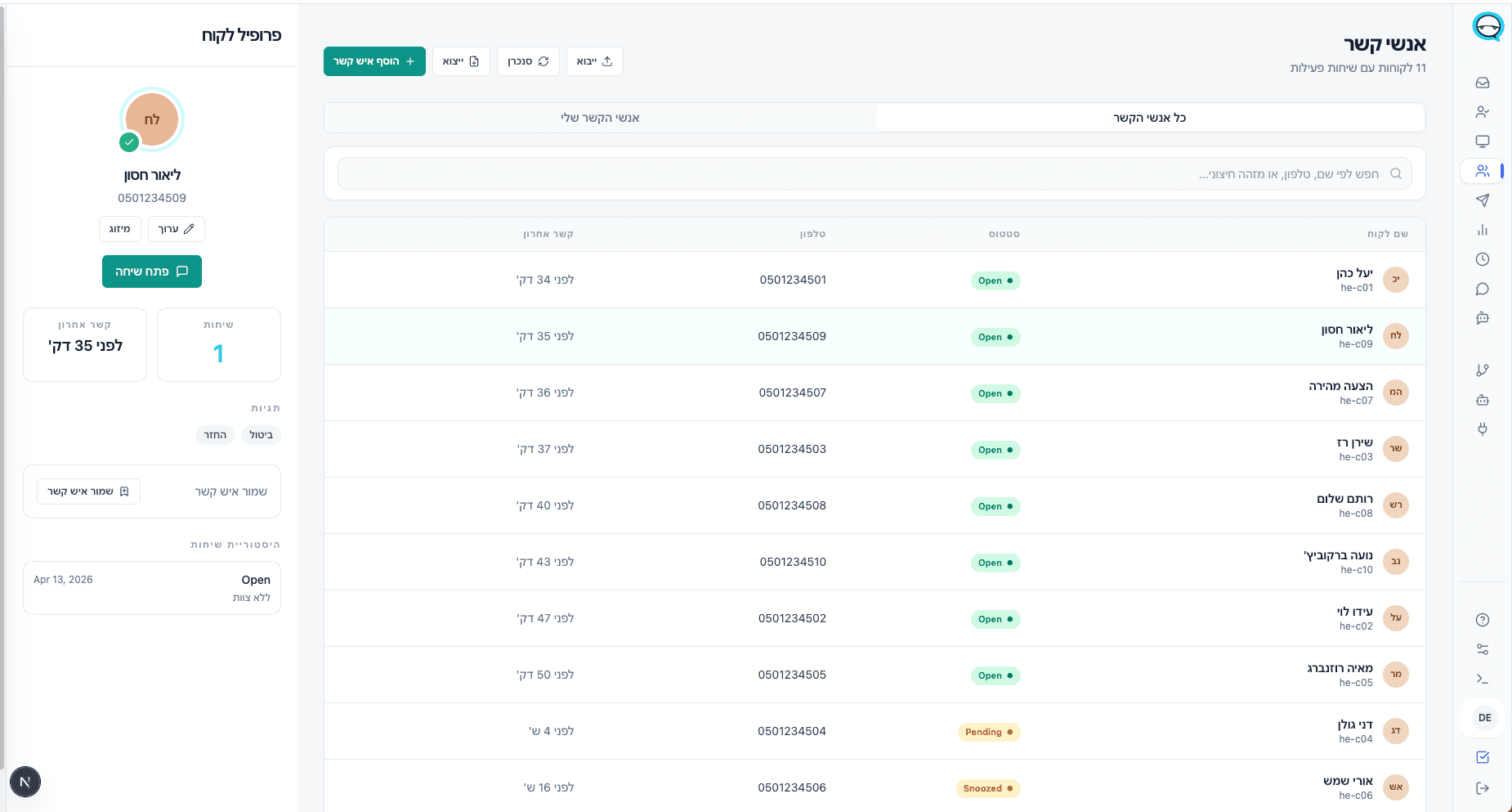
Why teams search for this
Why "multiple users" is really an operations problem
Once the same number serves sales, support, or ops, the challenge stops being technical. Without a shared inbox, it is hard to know who replied, who should follow up, and which conversations were left open.
- ▲Two agents reply to the same customer without knowing about each other.
- ▲Follow-ups stay in someone's personal phone or memory.
- ▲Managers have no clear picture of load, SLA, and unhandled chats.
Workflow
How teams fix this the right way
Bring the business number into one team inbox instead of a single person's phone.
Set up assignment, statuses, and notes so every conversation has a clear owner.
Add reporting, SLA, and AI only after the basic team workflow is already running.
What the better setup should include
What a good solution must include
Clear ownership
Every inbound conversation gets an assigned owner so nothing falls through as everyone's responsibility.
Shared context
Anyone who opens a conversation sees the full history, notes, and next steps — no asking what was promised.
Manager visibility
Managers see load, response times, and at-risk conversations instead of guessing what is happening.
Best fit
Who this is most useful for
- Businesses with sales, support, or ops teams working from the same WhatsApp number.
- Teams that have moved past having a single person handle all conversations.
- Managers who want to add agents without losing control over assignment and follow-up.
Questions teams ask before changing the workflow
Can multiple users use one WhatsApp Business number?+
Yes. Multiple users can work from one WhatsApp Business number, but serious teams usually need a shared inbox layer with assignment, conversation ownership, internal notes, and manager visibility.
Is using WhatsApp Business on multiple devices the same as a team inbox?+
No. Multiple devices solve access. A team inbox solves operations: who owns the chat, who follows up next, what is overdue, and how managers see the full queue.
What is the best setup for several employees on WhatsApp Business?+
The best setup is one shared WhatsApp inbox where every conversation gets a named owner, handoff stays inside the record, and managers can see unassigned or overdue chats without asking the team.
When should a business stop sharing one phone and move to software?+
Usually as soon as two or more people are replying from the same number and the team starts seeing duplicate replies, missed follow-up, or no clear view of who owns each conversation.
See whether this workflow fits your team
Explore the product, then request a walkthrough if you want help mapping channels, ownership, automation, or rollout.