
WhatsApp Shared Inbox: How to Build One Inbox the Whole Team Works From
Teams searching for a "WhatsApp shared inbox" are usually trying to stop working from a single phone, screenshots, or internal group chats. The goal is one inbox every agent can continue from without asking who last spoke to the customer or what was promised.
Product Proof
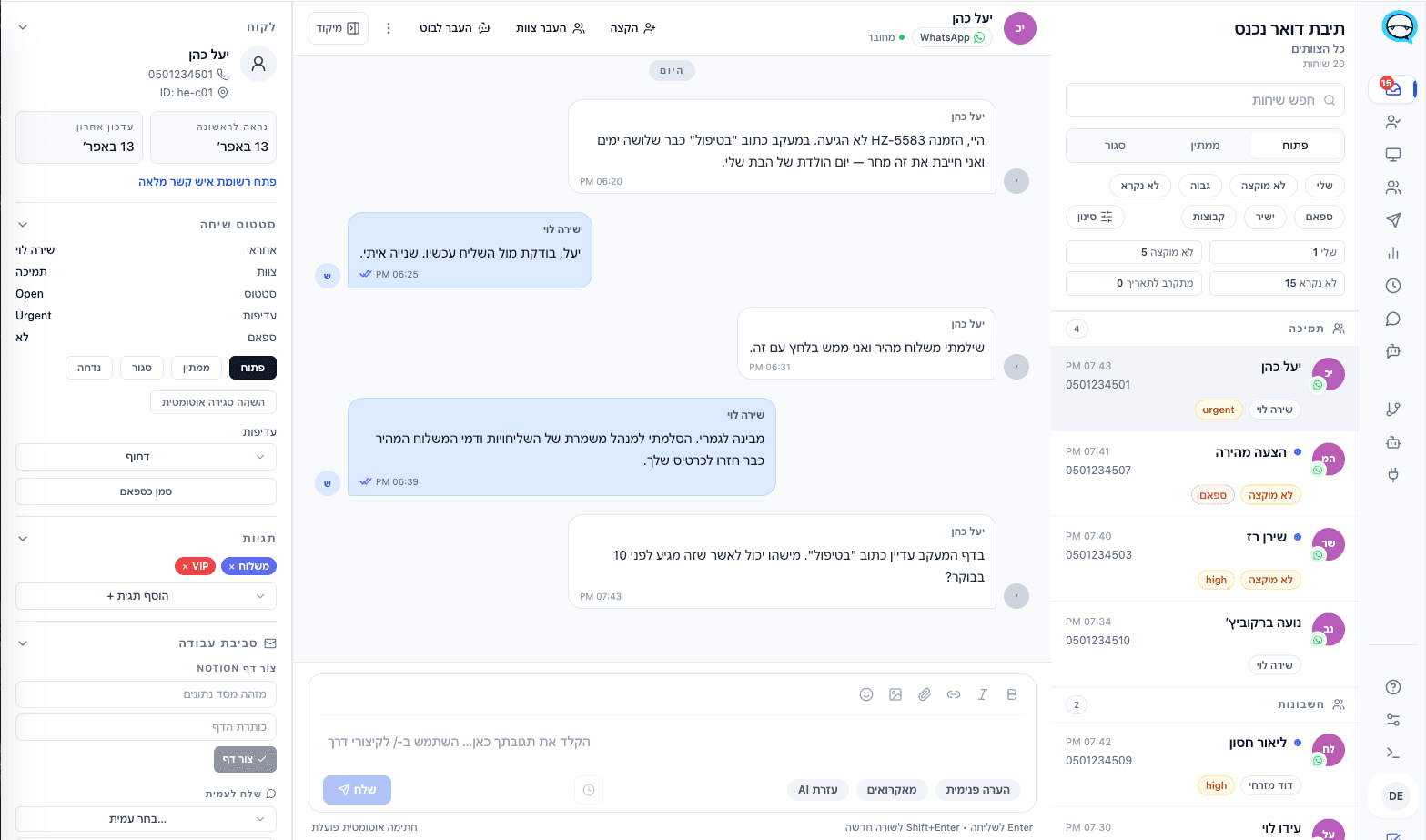
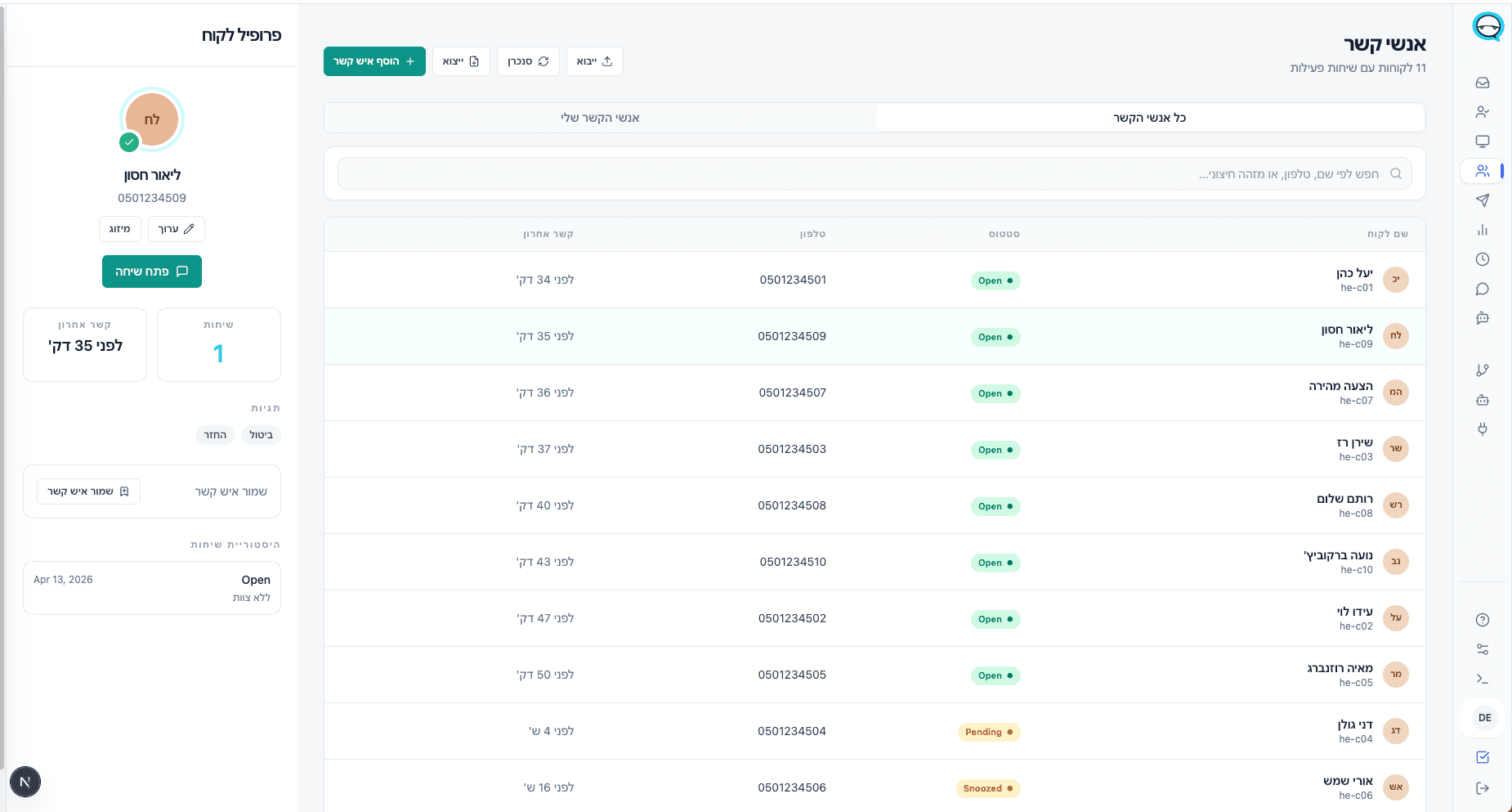
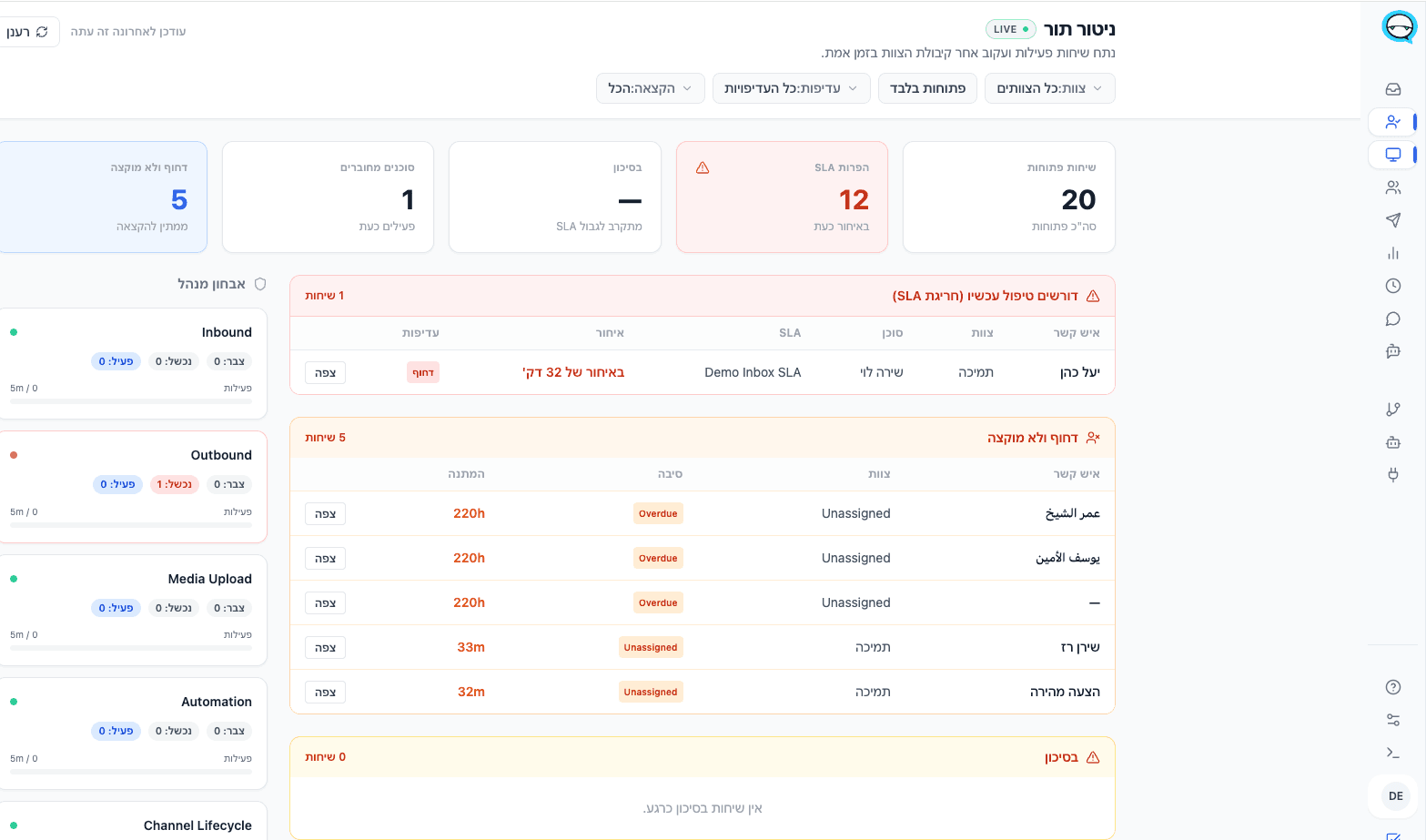
What This Looks Like In The Product
Real screenshots from the product. The examples here show a Hebrew workspace, and Marv also supports English and Arabic.
Why teams search for this
Why teams end up searching for this
The pain usually starts when conversations come into the same number but are handled in parallel by different people, each from a different device or with manual handoffs outside the system.
- ▲Conversation history lives on the last agent's phone.
- ▲Handoffs happen in an internal WhatsApp group or over the phone, not inside the workflow.
- ▲It is hard to see what is open, what is waiting, and who should respond next.
Workflow
How a good shared inbox works
All conversations arrive in a single view that the whole team sees.
Agents assign ownership, leave notes, and hand off without losing context.
The manager sees response times, load, and stuck conversations from the same screen.
What the better setup should include
What to require from any solution
One view per customer
Every agent who opens a conversation sees the same history, status, and next steps.
Real collaboration
Internal notes, assignment, and handoff happen inside the inbox — not outside it.
Visible follow-up
Easily see which conversations need a reply, who holds each one, and what is at risk.
Best fit
Who this fits best
- Support or sales teams that continue each other's conversations throughout the day.
- Businesses with many returning customers that need treatment continuity.
- Organizations that need a shared inbox, not just the ability to log in to the same account.
Questions teams ask before changing the workflow
What is a WhatsApp shared inbox?+
A WhatsApp shared inbox is a team workspace where multiple agents handle the same WhatsApp number with shared history, assignment, internal notes, statuses, and manager visibility.
What should a WhatsApp shared inbox include for support teams?+
At minimum: assignment, a visible owner per chat, internal notes, handoff history, queue views, SLA alerts, and reporting that shows what is waiting or at risk.
Can sales and support use the same WhatsApp shared inbox?+
Yes, if the tool supports routing and queue separation. The same number can receive both lead and support conversations while still assigning them to the right team.
Why is a shared inbox better than sharing the account login?+
Because login sharing gives access but not accountability. A proper shared inbox makes ownership, follow-up, and manager visibility part of the workflow itself.
See whether this workflow fits your team
Explore the product, then request a walkthrough if you want help mapping channels, ownership, automation, or rollout.